
Anyone can multiply a licence count by a monthly price and call the result "potential savings." The arithmetic takes a minute. The hard part is deciding which licences can be reclaimed without disrupting the business.
A useful Microsoft 365 licence optimisation process needs live tenant evidence. It has to connect each paid licence to an account, activity history, cost, and review decision. A generic waste percentage cannot do that.
The calculator is the easy part
A basic calculator starts with three assumptions:
- How many licences the organisation holds.
- What each licence costs.
- What percentage might be wasted.
That produces a theoretical number. It does not identify the affected accounts, prove that they are inactive, distinguish an employee from a service account, or tell IT whether a licence should be removed now.
The formula is useful for a rough budget conversation. It is weak evidence for an access decision.
What a simple savings estimate misses
Microsoft 365 environments are full of edge cases. A person may be on leave. A contractor may work in short bursts. A service account may look quiet and still support a critical process. An account may also be active while holding a paid licence it no longer needs.
That leaves IT with questions a percentage cannot answer:
- Which user holds the paid licence?
- What activity has GovernSafe observed for that account?
- How long has the account been inactive?
- What is the modelled licence cost?
- Does the evidence support reclaiming now, reviewing with an owner, or continuing to monitor?
This is why cloud license optimization is an evidence problem before it is a maths problem.
How GovernSafe's licence optimisation engine works
GovernSafe uses connected Microsoft 365 tenant data to build a user-level savings report. The reviewed product surface brings together assigned licences, modelled cost, days since activity, a reclaim risk score, and a decision tier.
The engine separates recommendations into three queues:
| Decision tier | What it means for the operator |
|---|---|
| Reclaim now | The evidence supports an immediate human review for licence removal. |
| Review | The opportunity needs more context before a decision. |
| Monitor | Keep watching the account rather than forcing a saving. |
The scoring model is part of GovernSafe's proprietary licence optimisation engine. The public report explains the decision inputs and outputs without publishing the internal weighting logic.
Operators can search and sort the opportunities, switch between monthly and yearly views, and export the detailed report. The interface keeps the savings estimate connected to the accounts behind it.
Why GovernSafe shows two savings figures
GovernSafe keeps gross potential separate from risk-weighted expected savings.
Gross potential is the full modelled licence cost across the identified candidates. Expected savings applies the engine's reclaim risk scores to produce a more conservative planning figure.
In a live connected Microsoft 365 demo tenant reviewed on 16 August 2026, GovernSafe showed:
| Measure | Observed result |
|---|---|
| Gross monthly savings potential | $974.00 |
| Gross annual savings potential | $11,688.00 |
| Risk-weighted expected annual savings | $6,584.40 |
| Reclaim now recommendations | 10 |
| Review recommendations | 7 |
Those figures are savings opportunities, not booked customer savings. No licence had to be removed to produce the report.
Read the full tenant walkthrough, including the privacy-safe screenshots.
Licence savings belong in the wider governance view
Cost does not sit apart from security and operations. The same demo command dashboard placed licence savings beside user counts, groups, security score, DNS protection, and device compliance.
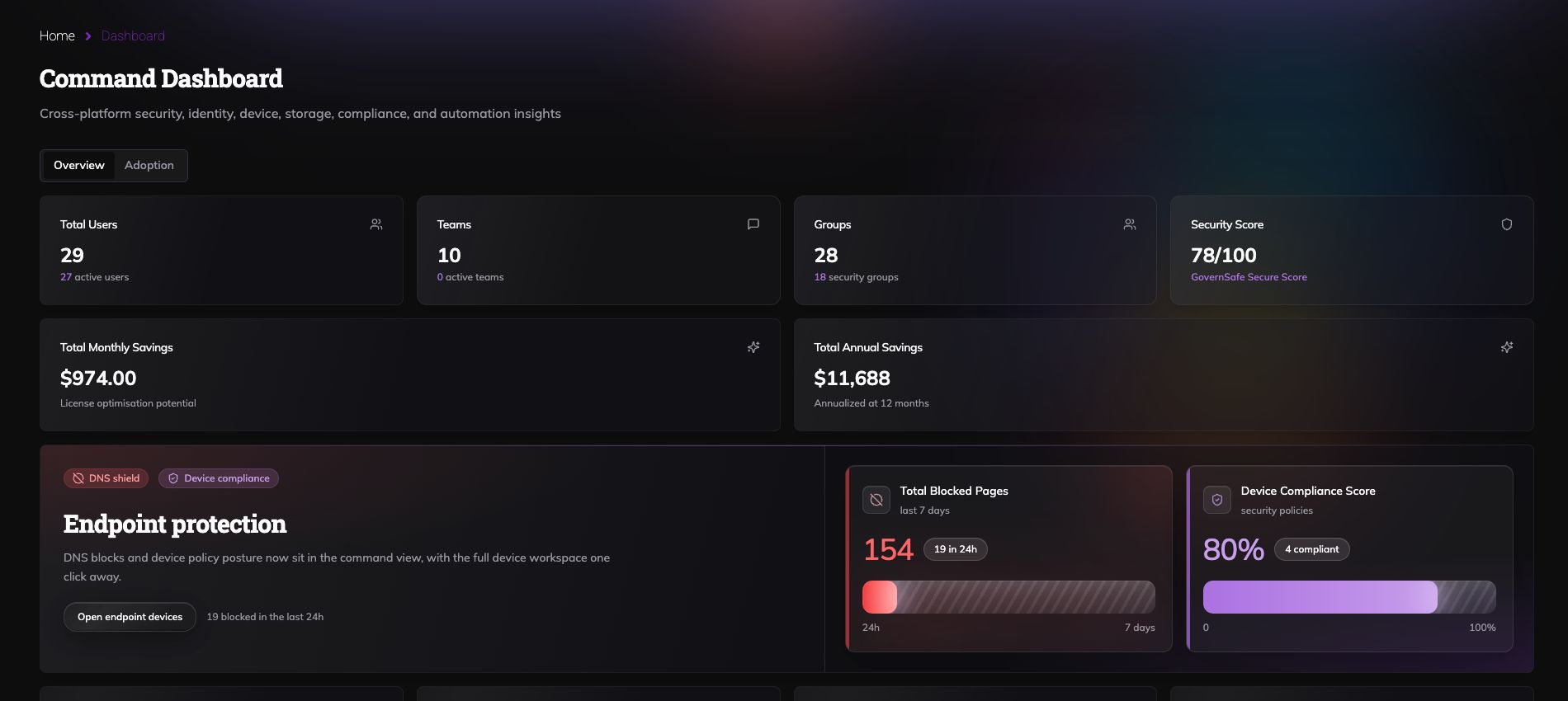
That shared context helps an operator understand what is happening across the tenant before changing access. It also gives leadership one place to see the value, the risk, and the next decision.
When a spreadsheet is enough
A spreadsheet may be enough for a small, one-off estimate when the organisation already has clean data and someone can verify every account manually.
It starts to break down when the team needs repeatable tenant checks, user-level evidence, risk-weighted recommendations, review queues, and reporting that can be traced back to the underlying accounts.
GovernSafe is built for that second job.
If your review extends beyond licence savings, use the Microsoft 365 plans and pricing guide to compare current plan choices and see how endpoint, DNS, email, compliance and penetration-testing evidence changes the cost decision.
For the wider operating model, read the Microsoft 365 governance guide or see the Microsoft 365 governance platform.
Compare software cost separately
Licence reclamation and software-stack cost are different business cases. GovernSafe keeps them separate.
The pricing calculator compares an editable set of annual product costs with the applicable GovernSafe plan. It uses published examples and clearly labelled planning assumptions. The result is illustrative, not a quote, a feature-equivalence claim, or a guaranteed saving.
Use your actual contracts in the calculator. Use the connected tenant report for licence decisions. Do not add the two outputs together.
Start with evidence, not a waste percentage
The point of licence optimisation is not to produce the biggest possible number. It is to find savings an IT team can review and defend.
Connect a Microsoft 365 tenant. Review the gross and risk-weighted opportunity. Check the reclaim now, review, and monitor queues. Then make the access decision with the account evidence in front of you.


